Download Normal but Upload Slow? Causes & Easy Fix Guide
bigsansar | March 4, 2026
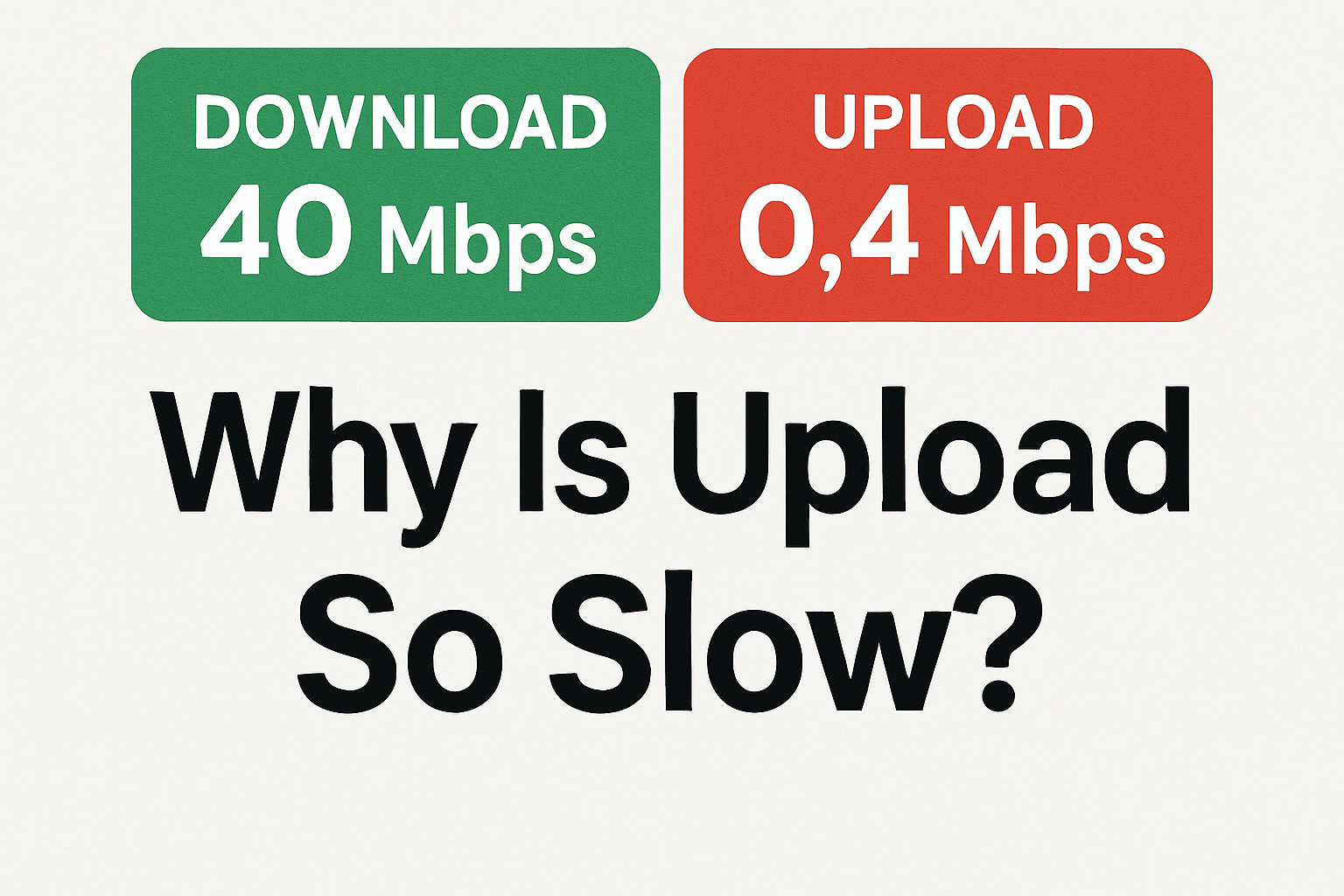
Many users experience a common internet issue where download speed is normal, but upload speed is extremely slow. For example:
- Download: 30–80 Mbps
- Upload: 0.4–2 Mbps
This problem is especially common in cable internet connections. It is usually not just a Wi-Fi issue. The cause may be related to the ISP (Internet Service Provider), network signal, router configuration, or line quality.
Understanding Download and Upload
Internet works in two directions:
- Download (Downstream): Data coming from the internet to your device
- Upload (Upstream): Data sent from your device to the internet
Many internet packages do not provide equal upload and download speeds. However, if the upload speed drops below 1 Mbps, it is usually a sign of a technical problem.
How to Properly Test Internet Speed
To identify the real issue, follow these steps:
1. Use a Reliable Speed Test Tool
The most trusted tool is Speedtest by Ookla.
2. Test in This Order:
- First, test using Wi-Fi
- Then test using a LAN (Ethernet) cable
Important:
If upload speed is still very low while using a LAN cable, the problem is likely from the ISP side — not your Wi-Fi.
Why Upload Speed Becomes Very Slow
1. ISP Upstream Signal Problem (Most Common)
In cable internet systems, upload depends on upstream signal strength.
If the upstream signal is weak or misconfigured, download may remain normal while upload becomes extremely slow.
This is the most common cause when upload drops to values like 0.44 Mbps.
2. Network Congestion
During peak hours (evening time), network traffic increases.
This can reduce upload performance in some areas.
3. Router Issues
Sometimes the router may:
- Have outdated firmware
- Have bandwidth control enabled
- Experience temporary internal errors
Basic Troubleshooting Steps
Step 1: Restart the Router
This is the simplest and safest solution.
How to reboot:
- Turn off the router
- Wait 10–15 seconds
- Turn it back on
- Wait 1–2 minutes and test again
Step 2: Perform a Factory Reset (Only If Necessary)
If restarting does not fix the issue, a factory reset can help.
However, this will erase Wi-Fi name and password settings.
To reset:
- Press the small reset button on the back of the router
- Hold it for 10–12 seconds using a pin
- Wait for the router to restart
Step 3: Contact Your ISP
If:
- Download is normal
- Upload is extremely low (below 1 Mbps)
Then the issue is most likely from the ISP side.
You should call your provider and request:
Upstream refresh or line re-provisioning.
In many cases, they can fix the problem remotely within minutes.
What Is Considered Normal Upload Speed?
For example, if your package is 75 Mbps:
- Upload speed should ideally be at least 5–10 Mbps
- Upload below 1 Mbps is not normal
When download speed is normal but upload speed is extremely slow:
- First test using a LAN cable
- Restart the router
- If the problem continues, contact your ISP
In most cable internet systems, a very low upload speed is caused by upstream signal issues, not by Wi-Fi itself.
Proper testing helps identify whether the problem is with the router, Wi-Fi, or the internet provider.
0 COMMENTS:
Download Normal but Upload Slow? Causes & Easy Fix Guide
Is your download speed normal but upload very slow? Learn the main causes, how to test your interne…

Apple TV’s Smoke: True Detective Replacement Reviewed
Explore Apple TV+’s Smoke, its performances, storytelling, and whether it overcomes HBO’s True Dete…

Stranger Things Finale: Epic & Emotional Timer Moments
Explore how Stranger Things draws to an epic and emotional close, with characters, suspense, and th…

10 Trending Gemini AI Photo Editing Prompts for Boys – Copy-Paste Guide (Part 6)
Discover 10 trending Gemini AI photo editing prompts for boys! Copy-paste these prompts to instantl…
Is Yahoo Mail Down? Thousands Report Issues, Downdetector Shows
Is Yahoo Mail down right now? Thousands of users report Yahoo Mail login and email issues, accordin…

Steam Down for Thousands: Users Report Login & Server Issues
Is Steam down? Thousands of users reported login, store, and server issues on Tuesday, according to…

Foxtel Secures Major Commercial Win with MinRes Network
Foxtel partners with MinRes to deliver premium entertainment to 3,000 remote mining accommodations,…

Grok App and Website Down? Latest Updates on Service Outage
Users report the Grok app and website are temporarily down. Learn why Grok experiences outages, how…

Shopify Breakdown on Cyber Monday 2025 | Login Issues & Business Impact
On Cyber Monday 2025, Shopify faced a major login outage affecting thousands of merchants. Learn wh…

Digital Citizenship for Nepali Diaspora: Guide to Safe & Responsible Online Behavior
Learn how Nepalis living abroad can stay safe, ethical, and responsible online. Explore tips on dig…