How to Debug Kivy APK Crashes Using ADB Logcat (Complete Guide)
bigsansar | July 12, 2026
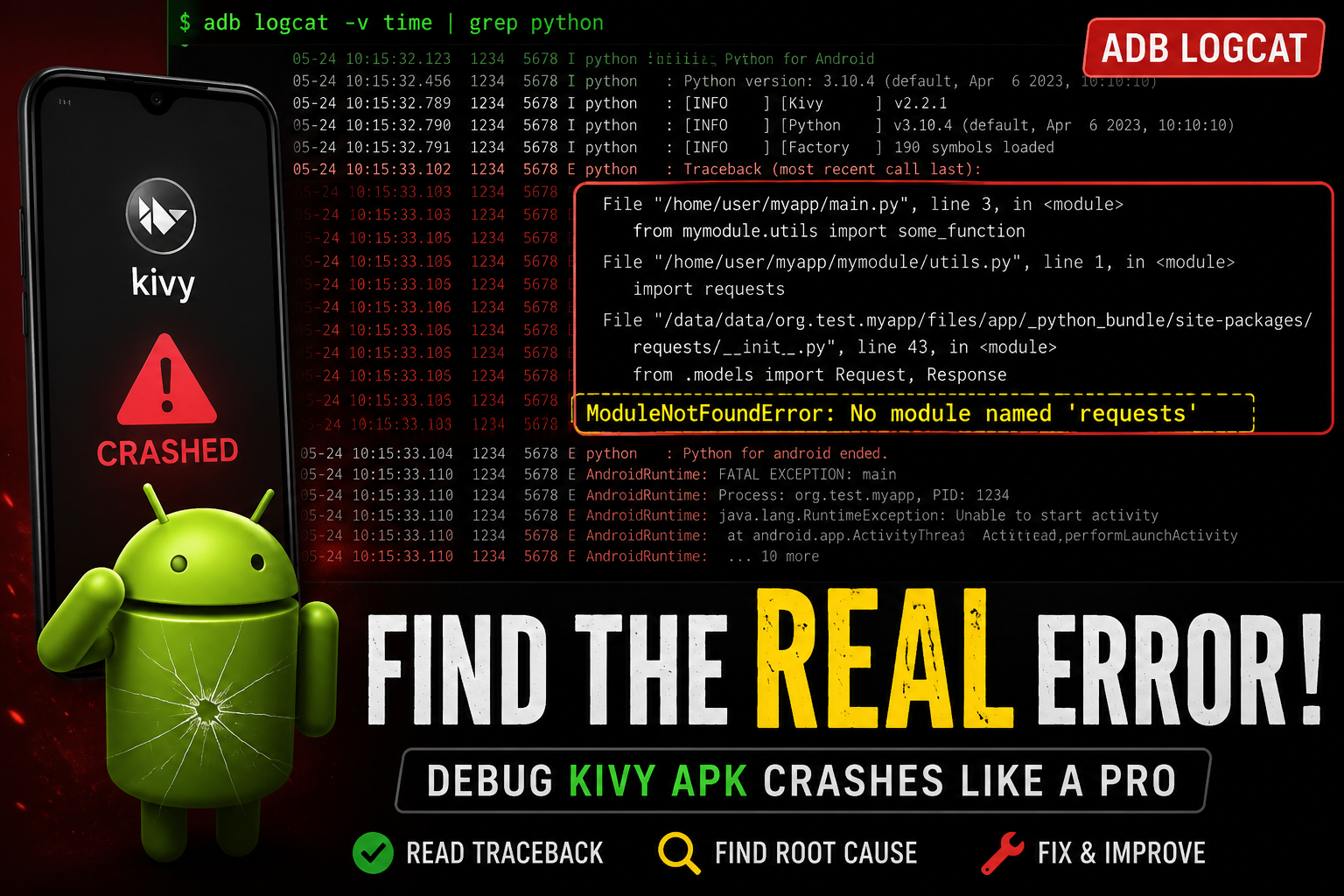
Developing Android apps with Kivy and Buildozer is straightforward, but one of the most common challenges developers face is an application that installs successfully, opens for a few seconds, and then suddenly crashes.
When this happens, many developers run adb logcat and notice messages such as PythonActivity, WINDOW DIED, or app died. These messages often appear alarming, but they do not reveal the actual cause of the crash. They simply indicate that the application process has terminated.
To identify the real problem, you need to inspect the application's runtime logs using ADB Logcat. This guide explains how to locate the actual error, understand common crash causes, and debug Kivy applications more efficiently.
What Does WINDOW DIED Actually Mean?
You may see log entries similar to the following:
WINDOW DIED Window{... org.kivy.android.PythonActivity}
Force removing ActivityRecord ... app died
These messages only indicate that:
- The application launched successfully.
PythonActivitystarted.- The application process terminated.
- Android removed the crashed process.
These logs do not explain why the application crashed.
Many beginners mistakenly assume that WINDOW DIED is the actual error, but it is only the result of a crash—not the cause.
Where Is the Real Error?
If your application crashes because of a Python exception, the real problem is usually found in the Python traceback.
To search for it, run:
adb logcat | grep -i traceback -A 20
A typical traceback looks like this:
Traceback (most recent call last):
  File "main.py", line 25, in <module>
ModuleNotFoundError: No module named 'requests'
This is the information you should focus on.
A traceback tells you:
- Which file caused the error
- Which line failed
- The exact exception raised
Without the traceback, identifying the root cause becomes much more difficult.
Viewing Python and Kivy Logs
To display Python-related logs:
adb logcat | grep -i python
To display Kivy-related logs:
adb logcat | grep -i kivy
These commands can provide additional context while the application is starting.
Display Only Error Messages
Android produces thousands of log entries, including informational and debug messages.
To show only errors:
adb logcat *:E
This reduces unnecessary output and helps you focus on critical issues.
Filter Logs for Your Application
If your package name is:
com.bigsansar.bigsansarapp
You can filter logs for your application with:
adb logcat | grep bigsansarapp
This makes debugging much easier by hiding unrelated system logs.
Clear Previous Logs Before Testing
Old log entries can make debugging confusing.
Before launching your application, clear the log buffer:
adb logcat -c
Then start the application and capture fresh logs.
A Practical Command for Daily Debugging
For most Kivy projects, the following command is often enough:
adb logcat | grep -iE "python|kivy|traceback|error"
This single command searches for most of the important runtime information, including Python exceptions, Kivy logs, tracebacks, and error messages.
Common Reasons Why Kivy APKs Crash
Several issues can cause a Kivy application to crash.
Missing Python Dependencies
One of the most common causes is forgetting to include a required package in buildozer.spec.
For example:
import requests
If your buildozer.spec contains:
requirements = python3,kivy
Instead of:
requirements = python3,kivy,requests
The application may crash with:
ModuleNotFoundError: No module named 'requests'
Always ensure every Python package used by your project is listed in the requirements field.
Incorrect Import Paths
Import statements that work on your desktop may fail inside an Android APK if the project structure or module paths are incorrect.
Carefully verify all imports before building the application.
KV Language Errors
Syntax mistakes, invalid widget IDs, or references to non-existent widgets can produce exceptions such as:
BuilderException
These errors usually appear in the traceback and should be fixed before rebuilding the APK.
Android Native API Issues
Applications that use PyJNIus, WebView, or other Android APIs may crash if Android UI-thread rules are violated or native objects are accessed incorrectly.
Real-World Example
Suppose your application contains:
import requests
However, your buildozer.spec file contains only:
requirements = python3,kivy
The APK builds successfully and installs without any problems.
When you launch the application, it opens briefly and then immediately closes.
Running:
adb logcat | grep -i traceback -A 20
produces:
Traceback (most recent call last):
  File "main.py", line 8, in <module>
ModuleNotFoundError: No module named 'requests'
The traceback clearly identifies the problem: the requests package was not included in the APK.
Adding:
requirements = python3,kivy,requests
And rebuilding the application resolves the issue.
When debugging a Kivy application, messages such as WINDOW DIED, PythonActivity, or app died are not the actual error. They only indicate that the application has crashed.
The real cause is usually found in the Python traceback or other runtime logs.
For Python-based crashes, the traceback is the most valuable source of information because it identifies the exact file, line number, and exception responsible for the failure.
If you only remember one debugging command, make it this:
adb logcat | grep -iE "python|kivy|traceback|error"
Finally, remember that not every crash originates from Python. If no traceback appears, inspect logs related to AndroidRuntime, FATAL EXCEPTION, or native libraries (libc) to determine whether the crash is caused by Java, Kotlin, or native Android components.
Learning to read adb logcat Effectiveness is one of the most valuable debugging skills for any Kivy Android developer.
0 COMMENTS:
How to Debug Kivy APK Crashes Using ADB Logcat (Complete Guide)
Learn how to debug Kivy APK crashes using ADB Logcat. Discover how to find Python tracebacks, ident…
How to Create an Internal Android WebView in KivyMD Using Pyjnius
Learn how to create an internal Android WebView in KivyMD using pyjnius. This complete tutorial exp…
KivyMD Blog List Reload Issue Fix | Prevent Repeated API Calls Using Cache
Learn how to fix Blog List reloading issue in KivyMD when navigating back from details screen. Unde…
Git & GitHub Complete Tutorial 2026 | Learn Version Control for Beginners
Learn Git and GitHub step-by-step in this complete guide. Understand version control, branching, me…
What is %(source.dir) in Buildozer? Complete Guide for Beginners
Learn what %(source.dir) means in Buildozer and how to use it correctly. Avoid path errors and make…
Fix WSA Play Store Crash on Windows 11 (Google Play Store Closing Issue Solved)
Google Play Store closing immediately in WSA on Windows 11? Learn why it happens and how to fix it …
Fix Kivy App Crash on Android (Loading Screen Closes) – Buildozer Guide
If your Kivy or KivyMD app installs but closes after showing a loading screen, this guide explains …
VS Code .env Not Working? Fix “Environment Injection Disabled” Warning Easily
Learn why the “.env environment injection disabled” warning appears in Visual Studio Code and how t…
KivyMD MDScreen vs ScreenManager Explained | Screen Switching Guide (Python)
Learn how to use MDScreen and ScreenManager in KivyMD to build multi-screen Python apps. Understand…
Professional Windows EXE Download Page | Script-Free HTML & CSS Design
Learn how to create a professional Windows EXE download page using only HTML and CSS. Script-free, …