KivyMD MDScreen vs ScreenManager Explained | Screen Switching Guide (Python)
bigsansar | March 17, 2026
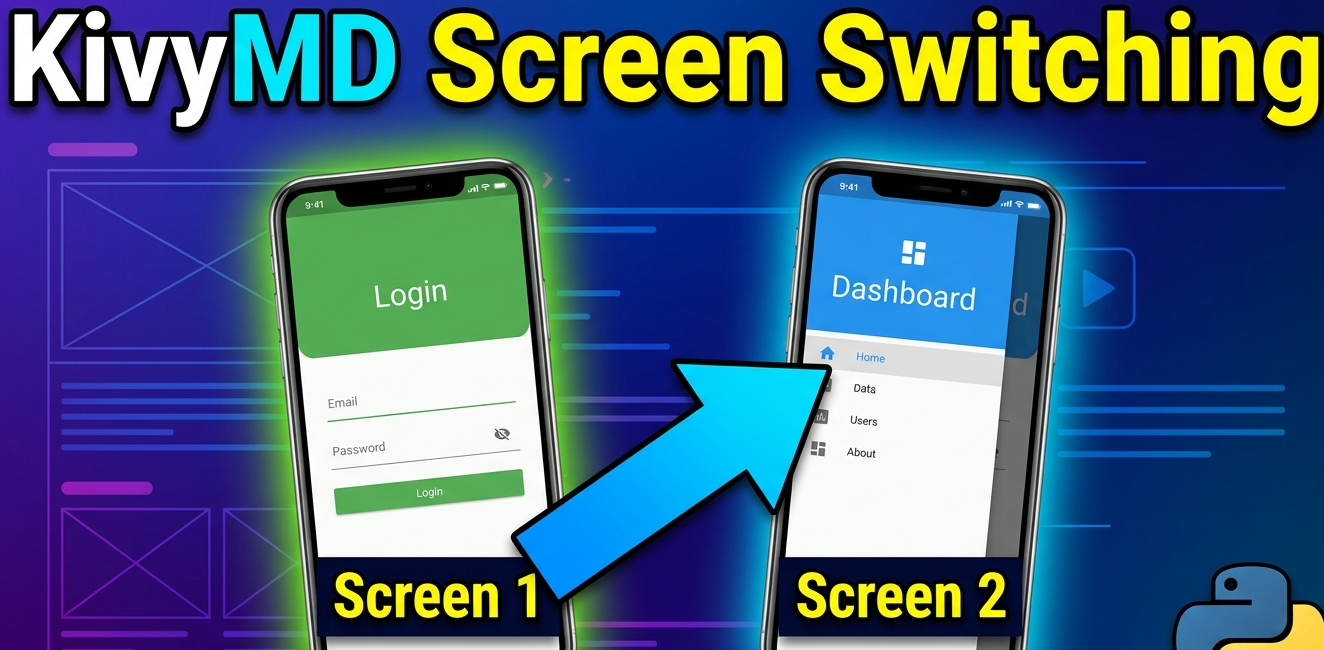
In modern mobile app development, creating smooth and structured user interfaces is very important. Using Python, KivyMD provides a powerful framework to build Android-like applications. Among its core components, MDScreen and ScreenManager play a crucial role in handling multiple screens within an app.
What is MDScreen?
MDScreen represents a single UI page in an application, such as a Home screen, Profile screen, or Settings screen. It is mainly used to design and display interface elements like text, buttons, images, and layouts.
Important Point:
MDScreen is only a UI container. It does not handle screen navigation by itself.
Role of ScreenManager
To switch between different screens, KivyMD uses ScreenManager. It acts as the controller that manages all screens inside the application.
Important Points:
- ScreenManager controls which screen is currently visible
- It enables switching between screens
- It supports animations like slide and fade transitions
- Without ScreenManager, multi-screen navigation is not possible
How Screen Switching Works
To move from one screen to another, the following line is used:
self.manager.current = "screen_name"
This works only if the screen has already been added to the ScreenManager.
Important Points:
self.managerrefers to the ScreenManager"screen_name"must match the name of the target screen- Each screen must have a unique name
- The screen must be added to the ScreenManager before switching
Default Screen Behavior
When the application starts, one screen is shown by default.
Important Points:
- The first screen added to ScreenManager is shown by default
- You can manually set the starting screen using:
sm.current = "second_screen"
Practical Example
Consider a simple app with two screens:
- First Screen → Button → Second Screen
- Second Screen → Back Button → First Screen
This is similar to real mobile apps, where users navigate between pages using buttons.
In KivyMD application development:
- MDScreen is used to design individual screens
- ScreenManager is used to control navigation between screens
- Screen switching is done using
self.manager.current
To build a proper multi-screen application:
- Always use ScreenManager
- Assign a unique name to each screen
- Ensure screens are added before switching
0 COMMENTS:

How to Debug Kivy APK Crashes Using ADB Logcat (Complete Guide)
Learn how to debug Kivy APK crashes using ADB Logcat. Discover how to find Python tracebacks, ident…
How to Create an Internal Android WebView in KivyMD Using Pyjnius
Learn how to create an internal Android WebView in KivyMD using pyjnius. This complete tutorial exp…

KivyMD Blog List Reload Issue Fix | Prevent Repeated API Calls Using Cache
Learn how to fix Blog List reloading issue in KivyMD when navigating back from details screen. Unde…
Git & GitHub Complete Tutorial 2026 | Learn Version Control for Beginners
Learn Git and GitHub step-by-step in this complete guide. Understand version control, branching, me…

What is %(source.dir) in Buildozer? Complete Guide for Beginners
Learn what %(source.dir) means in Buildozer and how to use it correctly. Avoid path errors and make…
Fix WSA Play Store Crash on Windows 11 (Google Play Store Closing Issue Solved)
Google Play Store closing immediately in WSA on Windows 11? Learn why it happens and how to fix it …

Fix Kivy App Crash on Android (Loading Screen Closes) – Buildozer Guide
If your Kivy or KivyMD app installs but closes after showing a loading screen, this guide explains …
VS Code .env Not Working? Fix “Environment Injection Disabled” Warning Easily
Learn why the “.env environment injection disabled” warning appears in Visual Studio Code and how t…
KivyMD MDScreen vs ScreenManager Explained | Screen Switching Guide (Python)
Learn how to use MDScreen and ScreenManager in KivyMD to build multi-screen Python apps. Understand…
Professional Windows EXE Download Page | Script-Free HTML & CSS Design
Learn how to create a professional Windows EXE download page using only HTML and CSS. Script-free, …