Microsoft 365 Copilot Wave 3: New AI Features for Word & Excel
bigsansar | March 10, 2026
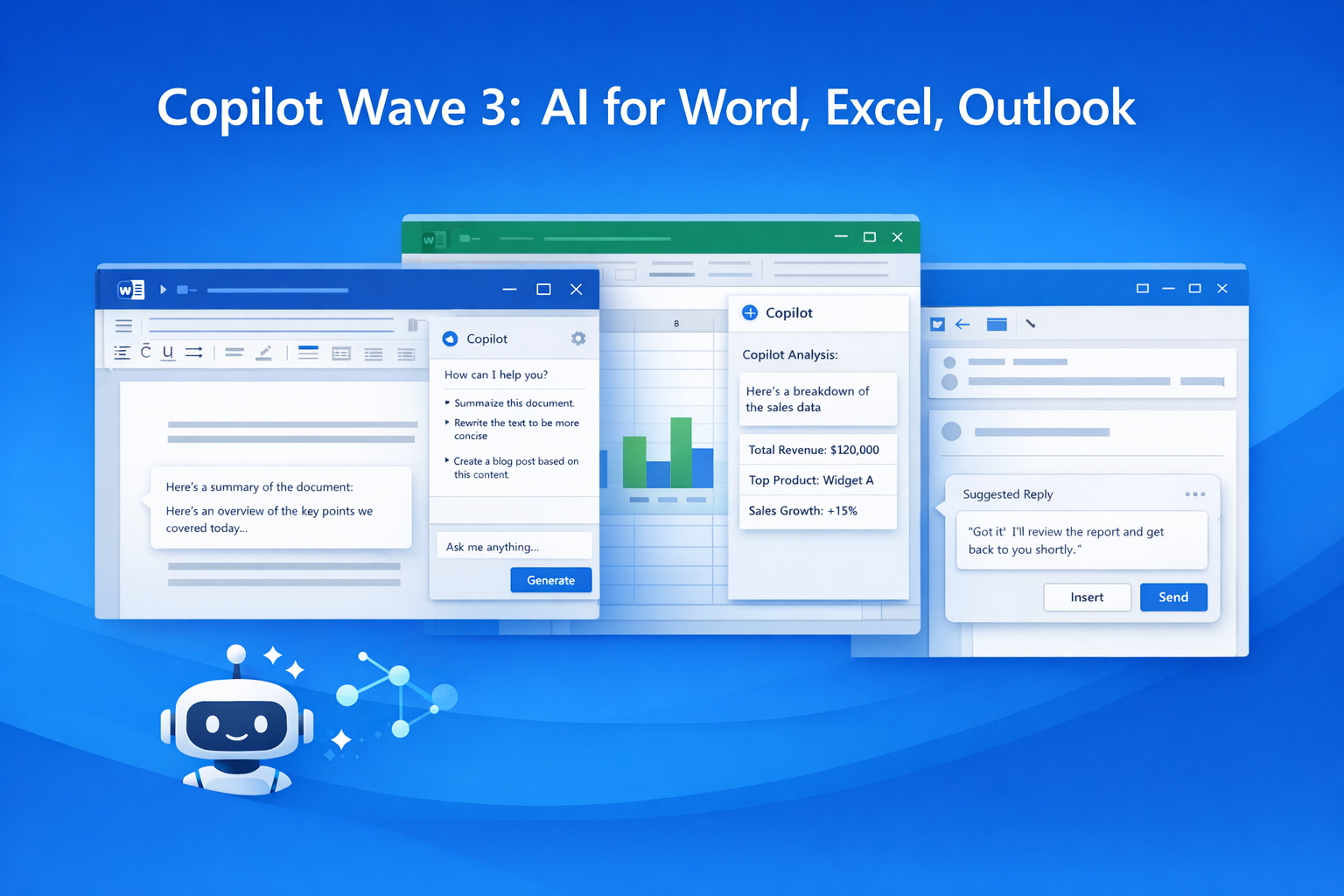
Microsoft has officially announced Microsoft 365 Copilot Wave 3, bringing advanced agentic AI features to Office applications such as Word, Excel, PowerPoint, and Outlook. This update is designed to elevate productivity by enabling Copilot not just to assist, but to perform tasks autonomously within the apps.
What’s New in Wave 3?
Wave 3 transforms Copilot from a traditional assistant into an AI agent capable of completing tasks based on context.
Key Features
Word (Document Management)
- Automatically drafts, edits, and refines content.
- Generates multiple versions of documents following organizational style.
Excel (Data and Spreadsheets)
- Performs data analysis, creates formulas, builds pivot tables, and generates dashboards automatically.
- Helps identify trends and forecasts for better decision-making.
PowerPoint (Presentations)
- Designs professional slides according to brand templates.
- Adjusts formatting and layout automatically for a polished look.
Outlook (Email Management)
- Drafts and refines emails, summarizes threads, and manages scheduling tasks.
- Provides context-aware smart suggestions.
Highlight: Copilot now goes beyond suggestions to complete documents, spreadsheets, presentations, and tasks autonomously, saving time and effort.
Copilot Chat and AI Agents
Wave 3 introduces Copilot Chat, allowing users to interact in natural language and have Copilot generate actual outputs like documents, spreadsheets, or emails.
- Supports multiple AI models, including Anthropic Claude and OpenAI-powered models.
- Context-aware and reasoning-focused outputs improve accuracy and relevance.
Highlight: Copilot Chat turns conversations directly into actionable results.
Copilot Cowork — Multi-Step Task Automation
Copilot Cowork is a new AI agent feature in Wave 3 that:
- Executes multi-step tasks autonomously.
- Interacts directly with Word, Excel, and Outlook.
- Reduces dependency on manual intervention.
Highlight: Enterprise users can now automate complex workflows without repeated manual steps.
Work IQ — Context-Smart AI
Work IQ enables Copilot to:
- Analyze emails, chats, files, meetings, and documents.
- Deliver personalized, context-aware outputs.
Highlight: Work IQ ensures that AI outputs are not only accurate but highly relevant to ongoing tasks.
Business Impact
- Wave 3 enhances productivity and efficiency.
- Automates repetitive tasks, freeing users to focus on strategic work.
- Already seeing adoption among enterprise clients, including Fortune 500 companies.
Highlight: Copilot is no longer just a tool — it’s becoming a work partner for knowledge workers.
Practical Example
Imagine preparing a quarterly business report in Excel. Previously, creating pivot tables, formulas, and dashboards required manual effort. With Wave 3:
- You can instruct Copilot: “Analyze this dataset and create a dashboard with key insights and next-quarter forecasts.”
- Copilot will automatically generate pivot tables, trends, and dashboards, completing in minutes what could take hours.
Highlight: Complex reporting tasks can now be done in a fraction of the time with AI assistance.
Microsoft 365 Copilot Wave 3 brings a major AI upgrade, turning Word, Excel, PowerPoint, and Outlook into AI-powered task executors. Users can now:
- Automate workflows
- Generate professional documents and reports
- Focus on strategic and high-value tasks
Key Takeaway: Copilot is evolving from a simple assistant into an autonomous productivity partner, redefining how we work with Microsoft 365 tools.
0 COMMENTS:
Microsoft Windows 11 Emergency Update: Major Issues Fixed for Users
Microsoft has released an emergency update for Windows 11 to fix major issues including crashes, pe…
Microsoft Unifies Copilot Team | Satya Nadella’s ‘My Apps’ AI Vision
Microsoft is consolidating Copilot under one team to create seamless AI-powered experiences. Explor…
Microsoft 365 Copilot Wave 3: New AI Features for Word & Excel
Discover Microsoft 365 Copilot Wave 3 with agentic AI for Word, Excel, and Outlook. Automate tasks,…

Microsoft Confirms Project Helix: Next-Gen Xbox Details
Microsoft confirms Project Helix, the next-generation Xbox console. Here’s what we know about featu…
Create Windows 10 Bootable USB in Ubuntu (No WoeUSB)
Learn how to create a Windows 10 bootable USB in Ubuntu without WoeUSB. Step-by-step guide using NT…

Manual Install WSL on Older Windows (WSL 2 Step-by-Step Guide)
Learn how to install WSL manually on older Windows versions. Step-by-step guide to enable WSL, inst…
Microsoft Exchange Online Bug: Legit Emails Marked as Phishing Explained
Microsoft Exchange Online recently flagged legitimate emails as phishing, causing false positives a…

Microsoft Windows 11 Emergency Update Fixes Outlook Crash Bug
Microsoft has released a second emergency Windows 11 update to fix a critical Outlook crash bug cau…

Microsoft 365 Down for Thousands of Users | Downdetector Report
Microsoft 365 faced a major outage on January 22, 2026, affecting thousands of users worldwide. Dow…
Microsoft Windows 11 Emergency Update 2026: Shutdown Bug Explained
Microsoft’s first Windows 11 update of 2026 caused shutdown and hibernate failures on some PCs. Lea…